
10AS-018
This section describes the basic copy operation procedures.
| NOTE |
| For instructions on how to turn ON the machine, see Chapter 2, “Before You Start Using the Machine,” in the User’s Guide.For instructions on how to load paper, see Routine Maintenance. The output quality may deteriorate if the platen glass or feeder scanning area is dirty. Always keep them clean. Do not touch the feeder or platen cover while copying. Rocking the feeder or platen cover may distort the image being copied. |
1
Press  (COPY).
NOTE:
If any of the messages below appears, follow the instructions in Basic Operations:
<Enter the Department ID and Password using the numeric keys.>
<You must insert a control card.>
<Enter the User ID and Password.>
2
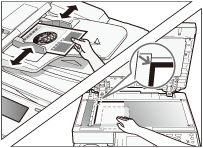
Place your originals.
NOTE:
For help, see Basic Operations.
If you want to copy on paper loaded in the stack bypass, specify the paper size and type. (Copying Using the Stack Bypass)
3
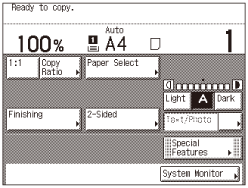
Specify the desired copy modes on the top screen.
NOTE:
You can select the paper size and type, copy density, original type, copy ratio, two-sided, and the desired finishing mode.
4
If necessary, specify the copy modes on the Special Features screen.
| 1 | Press [Special Features].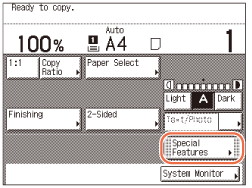 |
| 2 | Press the desired key to set the desired mode.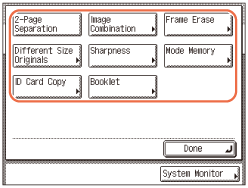 For more information on the functions on the Special Features screen, see For more information on the functions on the Special Features screen, see |